

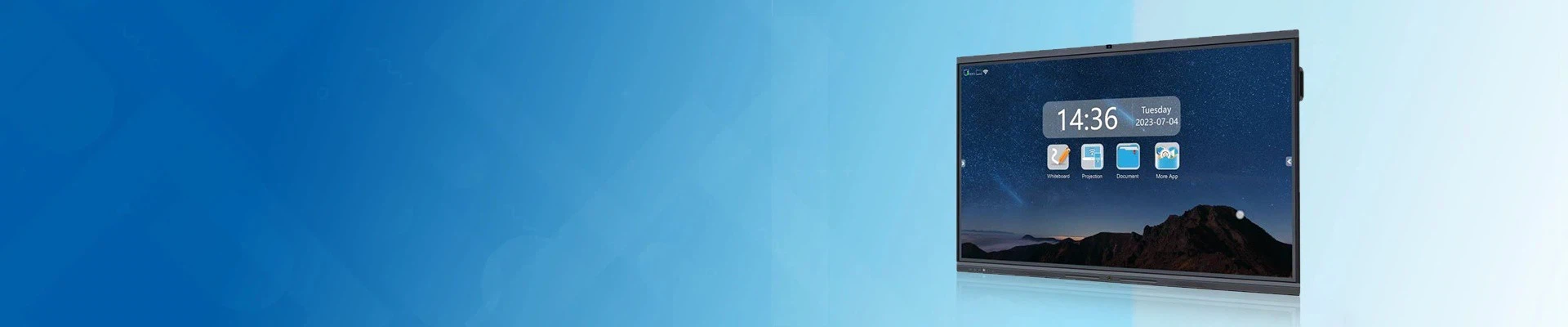


OS-Free Interactive Whiteboard
Description
Technical Parameters
OS-Free Ready Interactive Flat Panel Configuration
HDFocus HD-75I-T Dual OS interactive whiteboard can support external-PC teaching environments and project-based OS-free ready configurations. Built on a 75-inch 4K touch display platform, it allows schools to use the built-in Android 14 system for daily whiteboard functions, add optional Windows OPS when desktop software is required, or connect external classroom computers and teacher laptops for managed teaching workflows.
OS-free ready configuration is project-based and should be confirmed before order. Standard HD-75I-T configuration includes built-in Android system, with Windows OPS available as an option.
What Does OS-Free Ready Mean?
OS-free ready means the interactive flat panel can be used in external-PC teaching environments, where the main teaching software, files and user accounts are managed by a connected classroom computer, teacher laptop or optional OPS module. It does not mean every HD-75I-T configuration is shipped without an operating system by default.
For true OS-free project requirements, please confirm the final configuration with HDFocus before order.

OS-Free Ready vs True OS-Free Panel
| Item | OS-Free Ready HD-75I-T | True OS-Free Panel |
|---|---|---|
| Product Base | HD-75I-T Dual OS interactive whiteboard | |
| Built-in Android | Available in standard configuration | Usually not included |
| Windows OPS | Optional | Optional / external |
| External PC Use | Supported | Main usage method |
| Procurement Note | Confirm OS-free ready configuration before order | Confirm true no-OS specification before order |
This page is designed for buyers searching for OS-free or external-PC interactive flat panel solutions. If your project strictly requires a panel without built-in Android, please confirm the project configuration before quotation.
External-PC Teaching Workflow
1. Connect the classroom PC, teacher laptop or podium computer to the interactive panel.
2. Use the panel as a 75-inch 4K touch display for teaching content.
3. Operate Windows, browser-based platforms or school software from the external computer.
4. Use touch control and annotation workflow based on the selected connection and software setup.
5. Keep user files, accounts and IT management within the school's existing computer system.

Why Schools Use External-PC Ready Interactive Panels
1. Keep Existing IT Systems
Schools can continue using managed classroom PCs, teacher laptops or campus software platforms without moving all teaching workflows into the display.
2. Flexible System Choice
Buyers can select built-in Android functions, optional Windows OPS or external-PC teaching depending on project requirements.
3. Better for Centralized Management
User accounts, security settings, browser access and teaching software can remain under the school's existing IT management policy.
4. Suitable for Tender Requirements
Some school projects ask for external-PC-first or system-optional interactive displays. OS-free ready configuration can support this type of procurement requirement after confirmation.


Full Technical Specifications
Display
|
Display Screen |
75" |
|
Panel back light |
TFT-LCD Module with DLED backlight |
|
Panel Protection |
Tempered Anti-Glare glass |
|
Hardness |
7H |
|
Aspect Ratio |
16:9 |
|
Color |
1.07B colors (10 bit) |
|
Display area |
1654*931mm |
|
Resolution |
3840*2160 |
|
Brightness |
350cd/m2 |
|
Contrast |
4000:1 |
|
Response Time |
5ms |
|
View Angle |
178° left and right, up and down |
|
Life |
Over 60,000 hours |
IR Touch
|
Touch Type |
Infra-red |
|
Points |
20 points |
|
Response Time |
Less than 5ms |
|
Resolution |
32767 * 32767 |
|
Position Accuracy |
±1mm |
|
Communication |
USB2.0 |
|
Touch Way |
Pen, Finger or other light-proof items |
|
Life Time |
Over 60,000,000 touches |
Dual OS Configuration:
Android Configuration
|
Version |
Android Pro |
Android Max |
Android Ultra |
|
CPU |
Quad-core ARM Cortex-A73 |
||
|
GPU |
Mali G52 MC1 |
||
|
RAM |
4GB DDR4 |
8GB DDR4 |
8GB DDR4 |
|
ROM |
32G EMMC |
128GB |
128GB |
|
Network |
100Mbps |
100Mbps |
1000Mbps Support One Netcom |
|
Vocal Tract |
2.0 |
2.0 |
2.1 |
|
WIFI |
IEEE802.11 a/b/g/n/ac/ax 2.4/5 GHz, support WIFI6 |
||
|
Hotspot |
IEEE802.11 a/b/g/n Dual Band 2.4GHz/5 GHz |
||
|
Bluetooth |
Support, can receive signal up to 12M. |
||
|
Android OS |
Android 14.0 |
||
Windows OPS Configuration (OPTIONAL)
|
Sky Lake-S 6th Gen processors |
I3-6th Ge. |
I5-6th Ge. |
I7-6th Ge. |
|
DDR4/RAM |
4G/8G/16G/32G/64G (Optional) |
||
|
Hard disk/SSD |
SSD 128G/256G /512G/1TB (HDD 1TB Optional) |
||
|
Graphics card |
Intel® HD Graphics card 530 integrated |
||
|
WIFI & BT |
IEEE802.11an 2.4GHz+5G, BT4.2 |
||
|
Windows OS |
Windows 8.1/10/11 trial version, Linux |
||
Input/output Interface
Front I/O Interface
|
Front Port |
USB*3 |
|
HDMI IN*1 |
|
|
TOUCH*1 |
|
|
TYPE-C*1 |
Rear I/O Interface
|
Version |
Android Pro |
Android Max |
Android Ultra |
|
Rear Input Port |
USB*2 |
||
|
HDMI IN*2 |
|||
|
RS232*1 |
|||
|
(Mini)Mic IN*1 |
|||
|
PC Audio IN*1 |
|||
|
RJ45(100M)*1 |
RJ45(100M)*1 |
RJ45(1000M)*2 |
|
|
NA |
NA |
DP IN*1 |
|
|
NA |
NA |
USB Type C*1 |
|
|
NA |
NA |
TF card slot*1 |
|
|
NA |
NA |
VGA IN*1 |
|
|
Rear Output Port |
Touch OUT*1 |
Touch OUT*1 |
Touch OUT*2 |
|
(Mini)LINE OUT*1 |
|||
|
Optical OUT*1 |
|||
|
NA |
NA |
HDMI OUT*1 |
|
|
Bluetooth/WIFI |
1x 2.4G built-in module,1x 5G built-in module |
||
|
Bluetooth5.4*1 |
|||
Windows OPS I/O Interface
|
DP |
DP OUT*1 |
|
HDMI |
HDMI OUT*1 |
|
MIC |
MIC IN*1 |
|
RJ45 Port |
RJ45*1 |
|
USB Port |
USB 2.0*2, USB 3.0*4 |
|
Type-C |
Type-C*1 |
|
LINE-OUT |
LINE-OUT*1 |
|
Power |
Power*1 |
|
Restore |
Restore*1 |
Accessories
|
Remote Controller |
Remote controller*1 |
|
Wall Mount Racker |
Racker*1 |
|
Touch Pen |
Free Touch Pen*2 |
|
User Manual |
User Manual*1 |
|
Power cable |
Power cable*1 |
Others
|
Net Dimension |
1707*108*1013mm |
|
Package Dimension |
1880*210*1150mm |
|
Net Weight |
52KG |
|
Gross Weight |
62KG |
|
Speaker |
2*20W speakers (Front) |
|
VESA |
400*600mm |
|
Color |
Top and bottom in Silver, left and right in Black |
|
Voltage |
100 V ~ 240 V, 50-60 Hz |
|
Power |
≤ 350W |
|
Working Temperature |
0- 40 ℃ |
Company Introduction
Shenzhen HDFocus Technology Co., Ltd specializes in interactive display products serving European and American buyers with more than 11 years manufacturing experience. Our product portfolio covers digital whiteboards and hologram display devices for corporate offices training sites and retail commercial applications. We are Alibaba verified supplier with 4.9 rating 95.5 percent on time delivery and 3‑hour inquiry response. Our 1800 square meter factory completed TUV Rheinland audit and holds independent patents. All items follow international safety standards and can provide CE FCC RoHS relevant documents to support local customs clearance. We offer flexible OEM and ODM customization including function adjustment appearance change and logo printing. We value product stability environmental requirements and open communication. We look forward to building reliable long‑term partnerships with overseas importers and brand operators.

FAQ
Q: 1. Is the HD-75I-T a true OS-free interactive panel?
A: The standard HD-75I-T is a Dual OS interactive whiteboard with built-in Android 14 and optional Windows OPS. OS-free ready configuration should be confirmed separately before order.
Q: 2. What does OS-free ready mean?
A: OS-free ready means the panel can support external-PC teaching environments where the main teaching software, files and user accounts are managed by a connected classroom computer, teacher laptop or optional OPS module.
Q: 3. Can schools use their own computers with this panel?
A: Yes. Schools can connect classroom PCs, teacher laptops or podium computers through the available input and touch connections. Final interface compatibility should be confirmed before order.
Q: 4. Is Android included by default?
A: For the standard HD-75I-T configuration, Android 14 is included. If the project requires a system-free setup, the final configuration must be confirmed before quotation.
Q: 5. Is Windows OPS required?
A: No. Windows OPS is optional. Schools can use built-in Android, add OPS, or connect an external PC depending on teaching software and IT requirements.
Q: 6. Why would a school choose external-PC ready configuration?
A: External-PC ready configuration is useful when a school already has managed computers, specific teaching software, IT security policies or tender requirements that prefer external computer operation.
Q: 7. Can it support touch control from an external PC?
A: Yes, touch control can be supported through the correct touch connection. Buyers should confirm the required video, USB and touch interface layout before ordering.
Q: 8. Can it still use Android whiteboard functions?
A: Yes, if the selected configuration includes built-in Android. For true OS-free projects, built-in Android functions should not be assumed and must be confirmed separately.
Hot Tags: OS-Free Interactive Whiteboard, China OS-Free Interactive Whiteboard manufacturers, suppliers, factory, classroom whiteboard, effective whiteboard, large format whiteboard, presentation whiteboard, teaching whiteboard, touch screen display


Quote Now!
We respond to your inquiry within 24 hours. Please take heed of the emails from " amber@hd-focus.com " to ensure timely and effective communication.
As one of the leading display solution manufacturers, we have accumulated rich project experience in digital signage and interactive technologies.