

What Are the Standard Interactive Whiteboard Sizes? A Buyer's Guide
Sep 26, 2025
Leave a message
Introduction
Interactive whiteboards are increasingly becoming essential equipment in education, meetings, training, and remote collaboration. They not only enhance the interactive experience but also significantly improve the efficiency of information sharing. When purchasing an interactive whiteboard, size is often one of the first factors to consider. This article will comprehensively analyze how to choose the right interactive whiteboard, covering topics such as size standards, selection criteria, and the purchasing process.

Interactive Whiteboard Standard Sizes and Recommended Uses
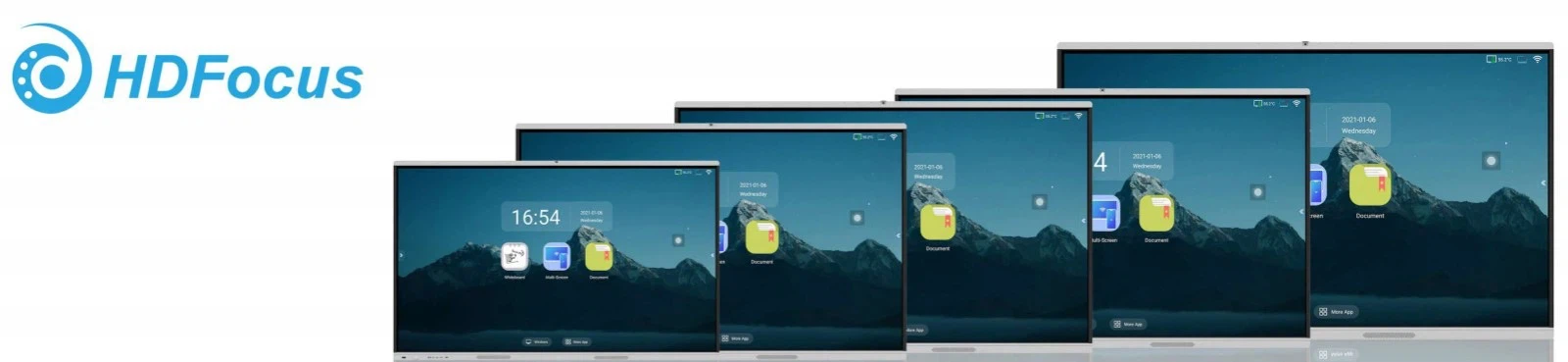
The size of an interactive whiteboard directly affects the viewing experience and installation space requirements. Different environments require different sizes; here are some common standard sizes.
55" Interactive Whiteboard
A 55-inch interactive whiteboard is compact and flexible to install, making it ideal for small classrooms, tutoring rooms, or small meeting rooms with 8–15 participants. While the screen isn't large, it's sufficient for small groups to view and interact, and it's also cost-effective.
65" Interactive Whiteboard
Compared to a 55-inch screen, the 65-inch screen offers a wider viewing area, ensuring clear visibility for those in the back. It maintains the advantages of flexible installation and affordability, providing a more comfortable viewing and interaction experience in limited spaces.
75" Interactive Whiteboard
The 75-inch whiteboard is a popular choice for medium-sized spaces with 20–30 participants. Its larger screen and ample touch area facilitate simultaneous writing or interaction by multiple users.
86" Interactive Whiteboard
The 86-inch whiteboard is suitable for medium to large classrooms, training rooms, or conference rooms with 25–40 participants. The large screen ensures clear visibility for all participants, even from a distance, and supports multiple users interacting simultaneously, making it ideal for teamwork and highly interactive scenarios.
98" Interactive Whiteboard
The 98-inch whiteboard offers a very large display area, providing a wide field of view, suitable for large meetings or formal presentations with over 40 participants.
100" Interactive Whiteboard
100-inch and larger whiteboards are suitable for auditoriums, conference halls, or large training spaces. The extremely large display area and stunning visuals meet the needs of viewing from a distance and supporting multiple users interacting simultaneously.
How to Choose the Right Size Based on the Environment
How to choose the right size based on the environment?
Selecting the right size shouldn't be based solely on intuition; it should consider the actual environment and specific needs. The following factors can help you quickly narrow down the suitable models:
Room Size
When choosing the size of an interactive whiteboard, the first consideration is the available space. The available wall width must be greater than the whiteboard's overall width. It's also recommended to reserve at least 20-30 cm of space for wiring and maintenance, ensuring smooth installation and uninterrupted use.
01
Viewing Distance and Clarity
The viewing distance directly affects the readability of the content. Generally, the maximum viewing distance is about six times the screen diagonal. For example, an 86-inch whiteboard is suitable for use within a 12-15 meter range, ensuring everyone can clearly see the screen.
02
Number of Users and Interaction Needs
Choosing the right size based on the number of users enhances the interactive experience. For small group teaching or meetings, a 65-inch whiteboard is sufficient; for medium-sized classrooms or meetings, 75-86 inches is more appropriate; for large presentations or training sessions, a 98-inch or larger screen is recommended to ensure all participants can clearly see and interact.
03
Wall Load Capacity and Installation Environment
Larger whiteboards are usually heavier. The wall's load capacity, mounting bracket compatibility, and installation method must be confirmed in advance. If installation space is limited, a slightly smaller whiteboard that still meets the viewing needs may be a better choice.
04
Other Factors to Consider Beyond Size
While size is important when purchasing an interactive whiteboard, the overall user experience is influenced by several factors. Besides choosing the right size based on room dimensions and viewing distance, consider the following:
• Resolution: Higher resolution means sharper images. 4K screens offer superior clarity, while 1080p is more affordable and suitable for smaller classrooms or meeting rooms.
• Touch functionality: Different touch technologies (infrared, capacitive, optical) vary in sensitivity and price, especially when multiple users operate simultaneously; choose based on your needs.
• Display performance: Brightness and viewing angle affect readability from a distance and in bright lighting; larger sizes require appropriate brightness levels.
• Installation method: Wall-mounted, floor-standing, or mobile whiteboard; ensure it fits your available space.
• Connectivity and expansion features: Make sure the whiteboard supports HDMI, USB, wireless screen sharing, or an OPS slot for easy connection to computers, projectors, or other devices.
• After-sales service and warranty: Larger whiteboards are typically more expensive, so reliable after-sales support is crucial.
• Budget and value: Choose the best configuration based on size and features; don't blindly pursue the largest size.

Your Step-by-Step Guide to Picking the Right Interactive Whiteboard
To avoid making impulsive purchases, selecting an interactive whiteboard should be a methodical process, with each step helping you better match your actual needs:
• Define the intended use
First, determine the primary environment where the whiteboard will be used. Different scenarios have vastly different requirements for size, touch sensitivity, and display quality; clarifying the intended use helps quickly narrow down suitable models.
• Measure the available space
Measure the available wall space width and the furthest viewing distance for the audience to ensure the whiteboard size is appropriate, avoiding issues with it being too large or too small.
• Determine a preliminary size range
Based on the number of users and room size, set a standard recommended size, and prepare 1-2 alternative sizes for comparison.
• Compare different manufacturers
After determining the size range, compare products from different manufacturers. Focus on touch performance, display quality, interface options, and compatibility.
• Consider future expansion
If you might move to a larger space or have more users in the future, choosing a slightly larger or more scalable model will be more flexible, avoiding the need to replace the equipment soon.
• Demo testing
If possible, try a demo unit. Hands-on experience with touch sensitivity, multi-user interaction, and display quality is more insightful than just reviewing specifications, helping you make an informed decision.
• Installation and setup
The installation process is also crucial. Wiring, ventilation, and mounting compatibility all affect the daily user experience. Planning these details avoids future problems.
• After-sales service and maintenance
Large-screen devices are a significant investment; choosing a manufacturer with a comprehensive warranty and good service provides peace of mind.
Conclusion
When purchasing interactive whiteboards, choosing the right size is the first step, but it's not simply a matter of "the bigger the better." Consider factors such as the actual usage environment, number of users, viewing distance, and budget to determine the most suitable specifications. Furthermore, by considering aspects like resolution, touch performance, installation method, and after-sales service, you can purchase an interactive whiteboard that is truly practical and durable.
HDFocus: Your Professional Interactive Whiteboard Manufacturer in China
HDFocus Technology Co., Ltd. is one of China's top manufacturers, dedicated to providing high-quality products. Our interactive whiteboards range in size from 55 inches, 65 inches, 75 inches, 85 inches, 86 inches, 98 inches, and 100 inches, meeting virtually any need, from small classrooms to large conference rooms. If you would like to learn more about HDFocus interactive whiteboards, please contact us.