

How to Choose Touch Technology for Interactive Whiteboards?
Apr 10, 2025
Leave a message
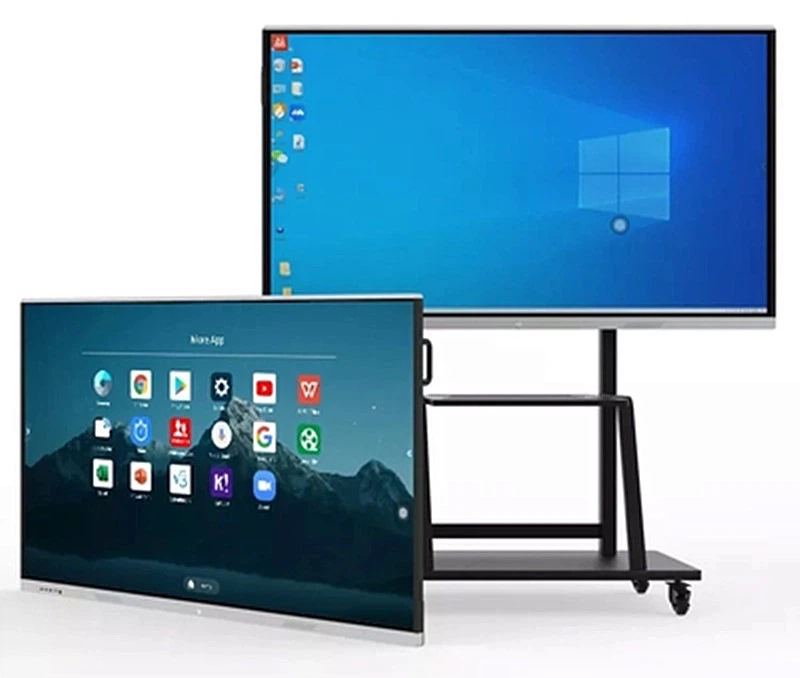
With the advancement of technology, interactive whiteboards have been widely adopted in education, corporate meetings, and public displays. When purchasing an interactive whiteboard, the choice of touch technology is critical, as it directly impacts user experience, maintenance costs, and lifespan. This article provides a detailed comparison of two mainstream touch technologies to help you make an informed decision.
Touch Technology Principles
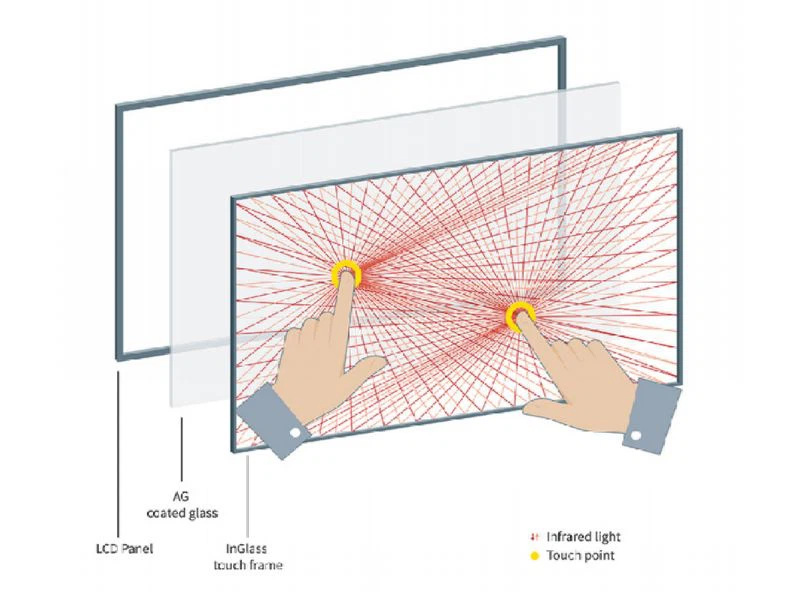
Infrared touch relies on an invisible grid of infrared light beams across the screen. Two rows of infrared emitters and receivers are installed on opposite sides of the screen. When a finger or stylus touches the surface, it blocks specific infrared beams, allowing the system to detect the precise touch location. Infrared technology supports multi-touch functionality and is ideal for large-sized screens.

Capacitive touch operates through electric field sensing. The screen is coated with a transparent conductive layer (e.g., indium tin oxide, ITO), which generates a static electric field when powered. When a conductive object (like a finger) touches the screen, it alters the electric field distribution, enabling precise touch detection. Capacitive technology is commonly used in smaller devices, such as smartphones and tablets.
Capacitive vs Infrared Interactive Whiteboard: Key Comparisons
|
Comparison Criteria |
Infrared Touch |
Capacitive Touch |
|
Accuracy |
±1mm |
<1mm |
|
Screen Size Compatibility |
55–100 inches (most sizes) |
55–75 inches (small to medium) |
|
Multi-Touch Support |
Up to 20 points (multi-user) |
5–10 points (hardware-dependent) |
|
Environmental Resistance |
Resists dust/water; slight interference from strong light |
Vulnerable to surface contaminants (e.g., water, oil) |
|
Durability |
No physical wear; 7H surface hardness |
Prone to scratches; potential long-term calibration drift |
|
Cost |
Lower hardware/maintenance costs |
Higher hardware costs (especially for large screens) |
|
Primary Use Cases |
Classrooms, conferences, public displays |
High-precision scenarios (e.g., design studios, medical demos) |
Advantages of Infrared Touch for Interactive Whiteboards
Cost-effective
Compared with capacitive touch, infrared interactive whiteboards do not need to add an additional conductive layer on the surface, and the hardware cost is low, which is more suitable for scenarios such as schools and corporate meetings.
01
Universal compatibility
Infrared interactive whiteboards are compatible with any object (fingers, styluses, gloves, etc.), while capacitive touch requires conductive materials.
02
Excellent multi-touch
Infrared touch supports 20-point touch, and can accurately identify multi-point positions when multiple people collaborate on the screen.
03
Low maintenance cost
The daily maintenance of infrared touch interactive whiteboards only requires wiping the frame with a dry cloth to avoid blocking the light path. Capacitive touch whiteboards need to consider the problem of coating wear, and the subsequent maintenance cost is higher.
04
HDFocus Infrared Interactive Whiteboard for Your Education or Bussiness
HDFocus provides interactive whiteboards ranging from 55 to 100 inches, all of which use infrared touch, up to 20 points of touch, and can be widely used in education, corporate meetings and various business scenarios. In educational scenarios, teachers can write or draw on the whiteboard with their fingers or stylus to achieve teaching purposes. In corporate or commercial scenarios, you can also write on the whiteboard to record content.
If you want to choose a suitable infrared interactive whiteboard for your company, then hurry up and contact us!

Conclusion
Infrared and capacitive touch technologies offer distinct advantages. Capacitive excels in precision for smaller screens, while infrared balances cost, durability, and collaboration for large-format applications. For schools, corporate meetings, or public displays, infrared touch is recommended. For high-precision professional scenarios, opt for capacitive touch on smaller screens.