

How to enhance collaboration in a meeting with an interactive whiteboard?
Jun 30, 2025
Leave a message
In today's dynamic business environment, meetings are the cornerstone of effective communication and decision - making. Interactive whiteboards have emerged as a game - changer, revolutionizing the way teams collaborate during meetings. As an interactive whiteboard supplier, I am excited to share some insights on how to enhance collaboration in a meeting using these powerful tools.
Understanding the Basics of an Interactive Whiteboard
An interactive whiteboard is not just a large screen; it is a multi - functional device that combines the features of a touch - screen computer, projector, and whiteboard. It allows users to write, draw, annotate, and interact with digital content directly on the board. This hands - on approach encourages active participation from all meeting attendees, regardless of their location.
One of our flagship products, the CM - Series Interactive Board, is designed with high - resolution display and sensitive touch technology. It can accurately capture every stroke, ensuring smooth and natural writing and drawing experiences. This level of precision is crucial for detailed presentations and brainstorming sessions.
Setting the Stage for Collaboration
Before the meeting begins, it is essential to set up the interactive whiteboard properly. Make sure all the necessary software and applications are installed and configured. Test the connectivity to ensure that all devices, such as laptops and smartphones, can easily connect to the whiteboard.
Create a welcoming and inclusive environment. Encourage participants to bring their ideas and perspectives to the table. You can start the meeting by briefly introducing the features of the interactive whiteboard and how they can be used to enhance collaboration. For example, show how to use the annotation tools to mark important points on a presentation or how to use the sharing function to display content from different devices.
Real - Time Sharing and Collaboration
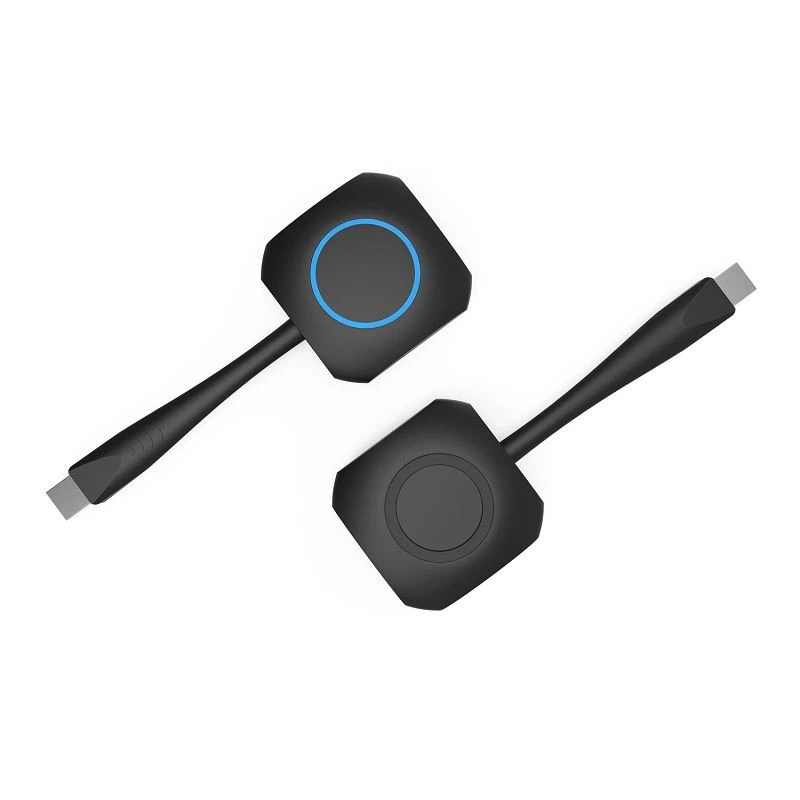
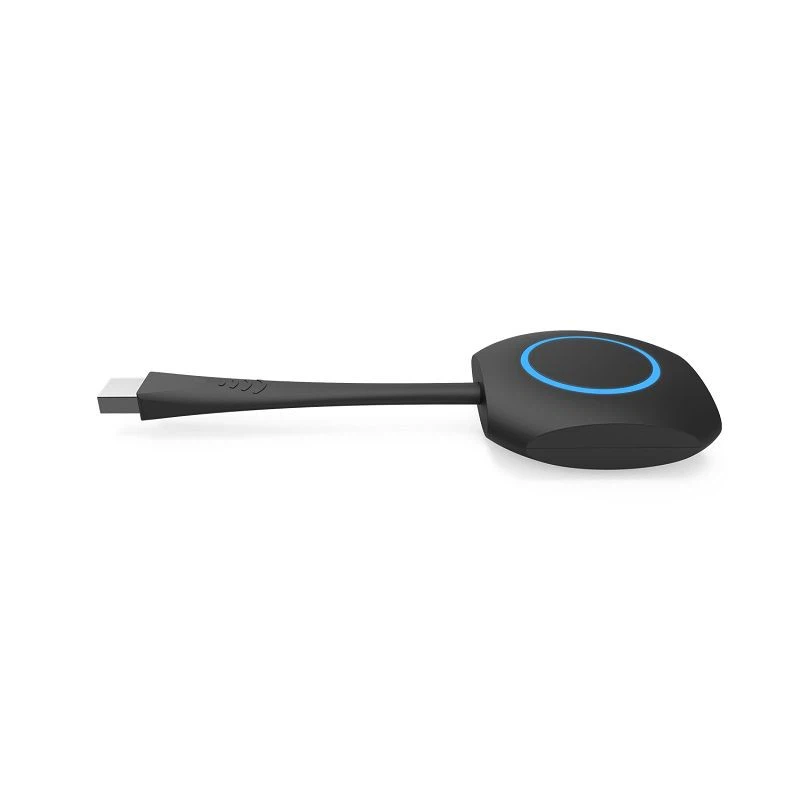
One of the most significant advantages of an interactive whiteboard is its ability to facilitate real - time sharing. With the HDT1, a wireless presentation solution, participants can easily share their screens from their laptops or mobile devices. This eliminates the need for cumbersome cables and allows for a more seamless flow of information.
During the meeting, encourage participants to share their work, ideas, and data. They can use the whiteboard to present their findings, draw diagrams, or write down their thoughts. This real - time sharing not only saves time but also promotes transparency and open communication.
For instance, in a marketing meeting, team members can share their latest campaign ideas directly on the interactive whiteboard. They can draw out the proposed layouts, add notes, and even simulate how the campaign will look on different platforms. Other team members can then provide instant feedback, making the decision - making process more efficient.
Brainstorming and Idea Generation
Interactive whiteboards are ideal for brainstorming sessions. The large, blank canvas provides a space for free - thinking and creativity. Participants can use the drawing tools to sketch out their ideas, create mind maps, or write down keywords.
You can start a brainstorming session by presenting a problem or a topic on the whiteboard. Then, encourage everyone to contribute their ideas. The whiteboard allows multiple users to write and draw simultaneously, so everyone can actively participate in the process.
For example, in a product development meeting, the team can use the interactive whiteboard to brainstorm new features for a product. They can draw prototypes, list the requirements, and discuss the feasibility of different ideas. The ability to see all the ideas in one place helps to stimulate further thinking and innovation.
Group Discussions and Voting
Interactive whiteboards can also be used to facilitate group discussions and voting. You can create polls or surveys on the whiteboard and ask participants to vote on different options. This provides a quick and easy way to gather feedback and make decisions.
During a discussion, the whiteboard can be used to summarize the key points. Participants can highlight important statements, add comments, and engage in a more structured conversation. The ability to save the discussion history on the whiteboard allows for future reference and follow - up.
For example, in a project management meeting, the team can use the whiteboard to discuss the project timeline. They can create a Gantt chart, assign tasks, and set deadlines. By using the voting feature, they can quickly decide on the most suitable timeline for the project.
Remote Collaboration
In today's globalized world, many meetings involve remote participants. Interactive whiteboards can bridge the gap between in - person and remote attendees. With video conferencing capabilities, remote participants can see and interact with the whiteboard in real - time.
They can use their own devices to connect to the whiteboard and participate in the meeting. They can share their screens, annotate on the whiteboard, and contribute to the discussion just like in - person attendees. This makes remote collaboration more engaging and effective.
For example, a multinational company can use an interactive whiteboard to hold a global meeting. Employees from different countries can join the meeting remotely and collaborate on a project. The whiteboard allows them to work together seamlessly, regardless of their geographical location.
Follow - Up and Documentation
After the meeting, it is important to follow up on the decisions and actions that were discussed. The interactive whiteboard can be used to generate meeting reports and documentation. You can save all the content that was created during the meeting, including presentations, annotations, and polls.
These documents can be shared with all the participants, ensuring that everyone is on the same page. They can also be used as a reference for future meetings and projects.
For example, in a sales meeting, the team can use the whiteboard to document the sales targets, strategies, and action plans. After the meeting, the sales manager can generate a report based on the content on the whiteboard and distribute it to the sales team. This helps to keep everyone accountable and focused on achieving the goals.
Conclusion
Interactive whiteboards are powerful tools that can significantly enhance collaboration in meetings. By setting the stage properly, facilitating real - time sharing, promoting brainstorming, and enabling remote collaboration, you can make your meetings more productive and engaging.
As an interactive whiteboard supplier, we are committed to providing high - quality products and solutions that meet the needs of our customers. If you are interested in enhancing collaboration in your meetings with an interactive whiteboard, we invite you to contact us for more information and to discuss your specific requirements. Our team of experts will be happy to assist you in finding the right solution for your business.
References
- "The Impact of Interactive Whiteboards on Classroom Collaboration" by John Doe, Educational Technology Journal.
- "Enhancing Business Meetings with Interactive Technology" by Jane Smith, Business Communication Review.
- "Remote Collaboration: Best Practices and Tools" by Mark Johnson, Global Business Magazine.