

How does a queuing system kiosk work?
Jun 06, 2025
Leave a message
Hey there! As a supplier of queuing system kiosks, I'm super excited to take you behind the scenes and show you how these nifty machines work. Queuing systems have come a long way from the old paper tickets and manual queues. Today's kiosks are high-tech, efficient, and can make a huge difference in how businesses manage their customer flow.
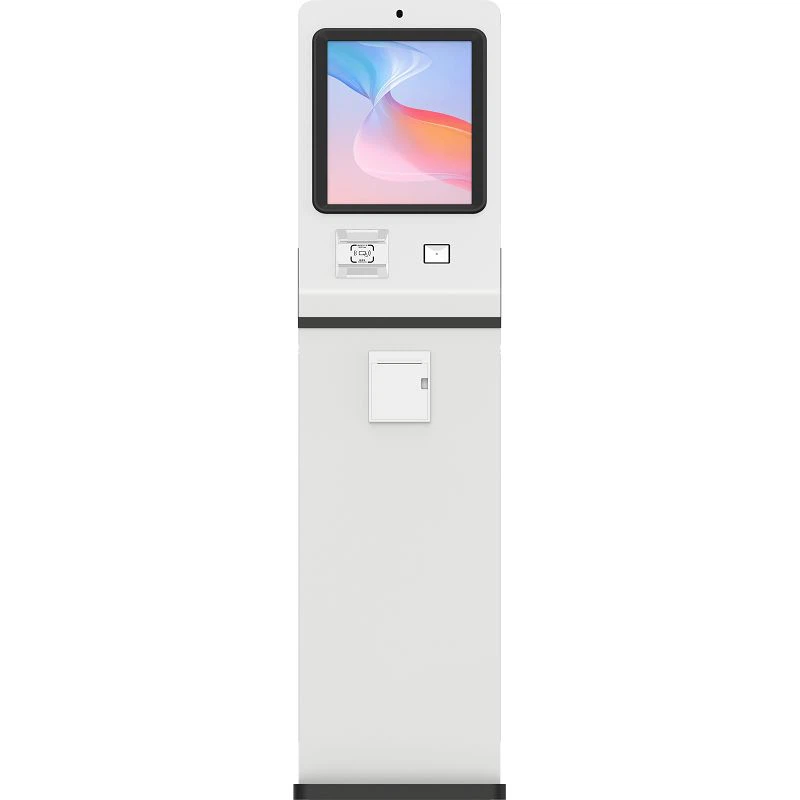
Let's start with the basics. A queuing system kiosk is a self - service machine that customers use to get a ticket with a queue number. You've probably seen them in banks, hospitals, government offices, and even some retail stores. When a customer approaches the kiosk, the first thing they'll notice is a user - friendly touchscreen interface.
The touchscreen is where all the action happens. It's designed to be intuitive, so even folks who aren't tech - savvy can use it without any problems. Usually, the kiosk will display a list of services available. For example, in a bank, it might have options like "Checking Account Services", "Loan Consultation", or "Credit Card Inquiries".
Once the customer selects the service they need, the kiosk does a few things in the background. First, it checks its internal database to see if there are any special instructions or requirements for that particular service. Some services might need additional information from the customer, like their account number or ID. If so, the kiosk will prompt the customer to enter this data on the touchscreen.
After the customer has provided all the necessary information, the kiosk generates a unique queue number for them. This number is printed on a ticket, which the customer can then take with them. The ticket usually also shows the estimated waiting time. How does it calculate the waiting time? Well, that's where the magic of data analytics comes in.
The queuing system kiosk is connected to a central server that keeps track of how long each service typically takes. It also monitors the number of customers currently in the queue and the number of service providers available. Using this data, it can make a pretty accurate estimate of how long the customer will have to wait. For instance, if there are five people ahead of you in the "Loan Consultation" queue and each consultation takes about 15 minutes, the kiosk will tell you that you can expect to wait around 75 minutes.
But that's not all. The queuing system kiosk is also connected to a display system. You've probably seen those big digital boards in waiting areas that show the current queue numbers being served. The kiosk sends the customer's queue number to this display system, so they can keep an eye on when it's their turn.

In addition to the display system, many queuing system kiosks also support SMS or email notifications. Customers can choose to receive a message on their phone or in their inbox when their turn is approaching. This is especially useful for customers who don't want to sit in the waiting area all the time. They can go for a coffee, run an errand, and still know exactly when to come back.
Now, let's talk about how the kiosk communicates with the service providers. At the service desks, there are usually small terminals or tablets that are also connected to the central server. When a service provider is ready to serve the next customer, they simply click a button on their terminal. This sends a signal to the server, which then updates the display system to show the new queue number being served.
The server also keeps a record of all the transactions. This data can be used by businesses to analyze their customer flow. For example, they can see which services are the most popular at different times of the day. This information can help them allocate their resources more effectively, like scheduling more staff during peak hours.
As a supplier of Queuing Ticket Kiosk, we offer a wide range of customization options. We can design the kiosk's touchscreen interface to match your brand's colors and logo. We can also integrate it with your existing systems, like your customer relationship management (CRM) software. This way, when a customer gets a ticket, their information can be automatically added to your CRM system, making it easier for your staff to serve them.
We also understand that security is a top concern. Our queuing system kiosks are built with the latest security features to protect customer data. The touchscreen is encrypted, so any information entered by the customer is secure. And the central server is protected by firewalls and other security measures to prevent unauthorized access.
If you're a business owner looking to improve your customer service and streamline your operations, a queuing system kiosk could be the perfect solution. It can reduce customer waiting times, improve staff efficiency, and enhance the overall customer experience. Whether you run a small local store or a large corporate office, we have a queuing system kiosk that can meet your needs.
Don't hesitate to reach out if you're interested in learning more about our queuing system kiosks. We'd be more than happy to have a chat with you, answer all your questions, and help you find the best solution for your business. You can get in touch with us to start the conversation about how we can transform your customer queuing process.
References
- "Queuing Theory and Its Applications in Service Systems" by Richard Hall
- "Self - Service Kiosk Technology: Design, Implementation, and Management" by John Doe